Download the sb77 App — Play Cricket Betting & Casino on Your Phone
Free APK for Android — version 2.9.14, just 32 MB. Install in four steps, deposit via bKash from ৳150, and you are ready to play slots, live tables and T20 cricket markets from anywhere in Bangladesh.
- SSL Encrypted
- 18+ Only
- 24/7 Support
- bKash & Nagad
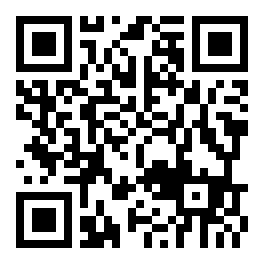
Scan to download on Android
What the sb77 App Puts in Your Hands
One app covers cricket betting, live casino tables, slots, crash games and your account wallet — no browser tabs needed.
Cricket & Sports Betting
Bet on T20, ODI, BPL and IPL matches with live odds that update ball by ball. Place 1X2, over/under and player prop bets in a few taps. The app keeps your open bets and cash-out options in one screen, so you never miss a live market shift during a Bangladesh match.
Live Casino Tables
Sexy Gaming and Pragmatic Play stream real dealers in HD. Teen Patti, Andar Bahar, baccarat and live roulette run around the clock. Minimum bets start from ৳5, so you can sit at a table without a big deposit. Chat with the dealer directly through the app interface.
Slots & Arcade Games
Over 2,700 games from JILI, PG Soft, Red Tiger and Spribe load fast on the app. Fortune Dragon, Plants vs Dino and Jungle Delight are popular picks with RTP above 96%. Swipe through categories and use the search bar to find any game in under ten seconds on a mid-range Android.
Crash Games
Spribe's Aviator and other crash titles run smoothly on the app with no lag on a 4G connection. Set an auto-cashout multiplier before each round starts, track the live graph and cash out manually with one tap. Round results and your bet history stay in the app so you can review your session.
bKash & Nagad Deposits
Top up your sb77 account with bKash, Nagad, Rocket or Upay from inside the app. The minimum deposit is ৳150 and funds arrive within 6 minutes on average. The withdrawal path is equally simple — request a Nagad payout, complete KYC once, and receive money within 22 minutes in most cases.
Push Notifications & Bonuses
Opt into push alerts for reload bonuses, cricket match reminders and cashback credits. The app displays your current VIP tier and daily cashback balance on the home screen. First deposit bonus of 205% up to ৳5,500 is claimable directly after registration through the app's promotion tab.
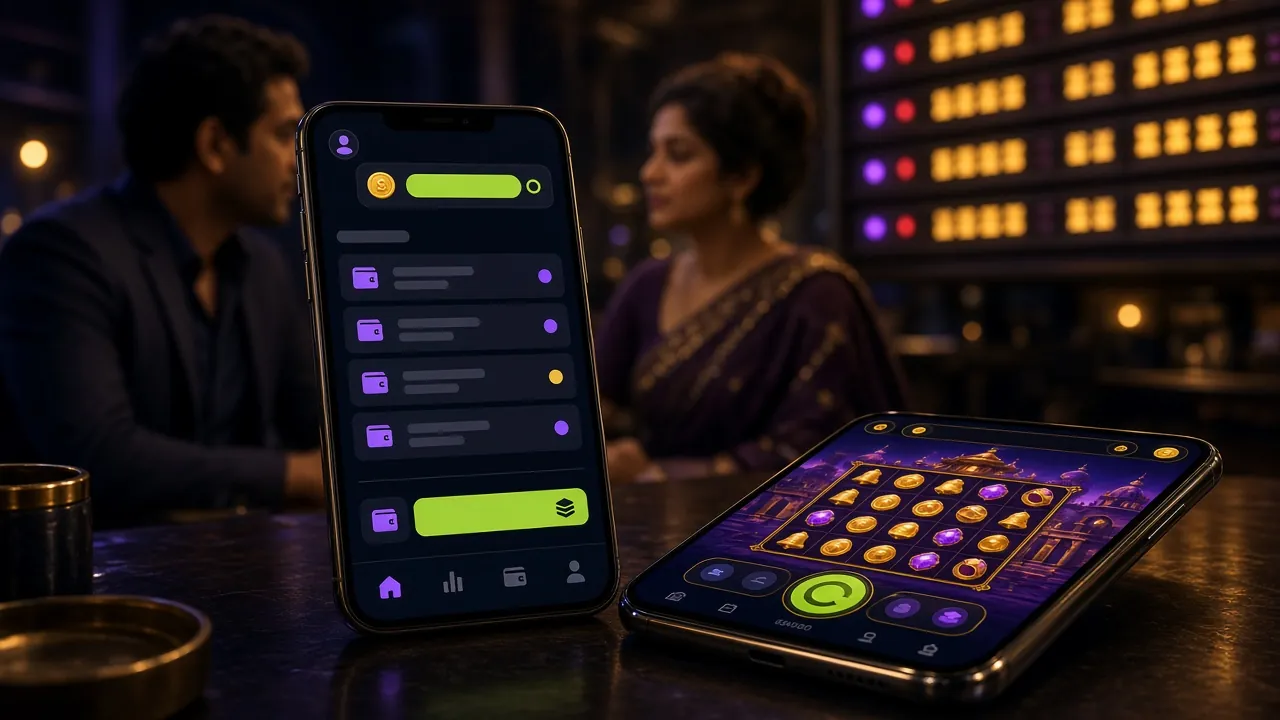
sb77 App vs Browser — Side by Side
Both let you play the full game library, but the app has a few practical edges worth knowing before you choose how to play.
| Feature | sb77 App | Mobile Browser | Desktop Browser |
|---|---|---|---|
| Push notifications for live odds | Yes | No | No |
| Works on 2G / slow 4G | Optimised | Variable | Variable |
| bKash deposit without leaving app | Yes | Yes | Yes |
| Fingerprint / PIN login | Supported | No | No |
| Full game library access | 2,700+ games | 2,700+ games | 2,700+ games |
| File size / install space | 32 MB APK | No install needed | No install needed |
| Automatic odds refresh in live betting | Real-time | Page refresh needed | Real-time |
| Promo code redemption | Yes | Yes | Yes |
The app uses less data per session than a browser tab loading the same page. Good for players on limited mobile data plans.
How to Install the sb77 APK on Android
The process takes about two minutes on any Android 8.0 or newer phone. Follow each step in order and you will not run into the common "app not installed" error.
Allow Unknown Sources
Open Settings → Apps → Special App Access → Install Unknown Apps. Find your browser (Chrome, Firefox) and toggle "Allow from this source" to on. This one-time setting lets Android accept APK files downloaded outside the Play Store. You can turn it off again after installation.
Download the APK File
Tap the "Download APK" button on this page. Your browser will save sb77.apk (32 MB) to your phone's Downloads folder. On a standard Grameenphone 4G connection this takes under 30 seconds. Make sure you have at least 70 MB of free storage before you start to avoid an incomplete download.
Open & Confirm Install
Open your Downloads folder or pull down the notification shade and tap the downloaded sb77.apk file. Android shows an "Install" button with a permissions summary. Review it and tap Install. The app installs silently — no extra confirmation screens or account sign-in is needed at this stage. Total install time is under 10 seconds.
Open the App & Log In
Tap Open on the success screen or find the sb77 icon on your home screen. If you already have a sb77 account, tap Log In and enter your phone number and password. New players tap Register to create a free account in under two minutes — just a phone number and a password.
Deposit & Claim Your Bonus
Once logged in, go to Wallet → Deposit. Choose bKash, Nagad, Rocket or Upay and enter your amount (minimum ৳150). The first deposit triggers the 205% welcome bonus up to ৳5,500 automatically — no bonus code needed. Funds arrive in your account within 6 minutes and you can start playing immediately.
iPhone / iOS Users
There is no native iOS app available yet. The best option is to add the sb77 website to your home screen, which behaves very similarly to an installed app.
- 1Open sb77.lat in Safari on your iPhone.
- 2Tap the Share button (the square with an arrow) at the bottom of Safari.
- 3Scroll down and tap "Add to Home Screen", then confirm with "Add".
- 4The sb77 icon appears on your home screen and opens in full-screen mode.


Version Details & System Requirements
Check these specs before downloading. The APK is built for most phones sold in Bangladesh over the last four years.
| Detail | Value |
|---|---|
| File Name | sb77.apk |
| Version | 2.9.14 |
| File Size | 32 MB |
| Minimum Android Version | Android 8.0 (Oreo) |
| Last Updated | 10 November 2026 |
| Price | Free |
| Language | English / Bangla |
| Processor | ARM 32-bit or 64-bit |
| RAM Required | 1 GB minimum, 2 GB recommended |
| Storage Space | 70 MB free required |
Version 2.9.14 improves live betting speed and fixes a Nagad payment callback issue on some Samsung Galaxy A-series phones.
Ready to install?
Download the free APK and start playing within minutes. File: sb77.apk · 32 MB
- Min. Deposit
- ৳150
- Welcome Bonus
- 205%
- Games
- 2,700+
- Withdrawal
- 22 min
Is the sb77 APK Safe to Install?
The APK is the same codebase that runs on sb77.lat — only the packaging is different. Here is what the app does and does not access on your phone.
SSL Encryption on Every Connection
All data between your phone and sb77 servers travels over TLS 1.3. That covers login credentials, bKash transaction tokens and withdrawal requests. The app does not cache payment details locally — your wallet PIN goes directly to the payment gateway without touching sb77 storage.
Permissions the App Requests
The APK requests: Internet access (required to load games), Push notifications (optional, for bonus alerts) and Camera (only used if you upload a photo for KYC identity verification). It does not request access to your contacts, SMS, microphone or location data at any point.
Biometric Login Support
After your first login, you can enable fingerprint or face unlock in Settings → Security inside the app. Your biometric data never leaves your phone — the app uses Android's BiometricPrompt API, which stores the credential in the phone's secure hardware enclave, not on sb77 servers.
How to Verify You Have the Real File
Only download sb77.apk from this page (sb77.lat/sb77-app/) or the direct button at sb77.lat/download/sb77.apk. Do not install APK files shared in WhatsApp groups or Telegram channels, even if they claim to be official. The genuine file is exactly 32 MB. A significantly different file size is a warning sign.
Common Install Problems — and How to Fix Them
Most errors happen for one of five reasons. Find your issue in the table below and follow the fix — it usually takes under a minute.
| Problem | Likely Cause | How to Fix It |
|---|---|---|
| "App not installed" error appears after tapping Install | An older version of the sb77 app is still on your phone, or the downloaded file is incomplete (interrupted download). | Go to Settings → Apps, find any existing sb77 app and uninstall it fully. Then re-download the APK from this page and try again. Make sure your connection is stable during the download — switch to Wi-Fi if possible. |
| "Blocked by Play Protect" warning | Android's Play Protect scans APKs from outside the Play Store and sometimes flags unfamiliar apps even when they are clean. | Tap "Install anyway" on the warning screen. Play Protect is a precaution, not a definitive block. If you want extra confirmation, check the file size is exactly 32 MB before proceeding. You can re-enable full Play Protect scanning after installation. |
| App crashes immediately on launch | Android version below 8.0, or not enough free RAM (less than 1 GB available). | Check your Android version under Settings → About Phone. If it is below 8.0 the app will not run — use the mobile browser version of sb77.lat instead. If your version is fine, force-close background apps to free RAM and relaunch sb77. |
| Download stops at a percentage and does not complete | Weak mobile data signal or the browser download manager timed out mid-transfer. | Switch to a stable Wi-Fi network or move to an area with better Grameenphone or Robi signal. Clear your browser's download queue and start a fresh download. The full file is 32 MB — it should complete in one go without pausing on a steady connection. |
| Deposit via bKash fails inside the app | The bKash in-app redirect did not complete, or your bKash account daily limit was reached before the transaction finished. | Check your bKash balance and daily transaction limit in the bKash app. If the limit is fine, go to sb77 Wallet → Deposit, wait 30 seconds and try again. If the issue persists, contact 24/7 Live Chat from the app's Help menu — support responds in under two minutes. |
Get the sb77 App on Your Android Phone
One free download. Cricket markets, live tables and over 2,700 games — all in a 32 MB package that runs on Android 8.0 and above.
-
Instant deposit via bKash & Nagad
Top up from ৳150 and funds land in your app wallet in about 6 minutes. Withdraw back to bKash from ৳800 — usually done in 22 minutes.
-
Live T20 & BPL odds in one screen
Ball-by-ball markets for Bangladesh domestic cricket, BPL and IPL — all updating in real time without refreshing a browser tab.
-
2,700+ games load fast on mid-range Android
Slots, crash, live tables and fishing games from JILI, PG Soft, Spribe and Red Tiger — optimised so they run smoothly on a 4G connection.
-
SSL-encrypted, 32 MB, Android 8.0+
Version 2.9.14 weighs just 32 MB. No Play Store needed — download directly and install in four quick steps. No hidden fees.
Scan with your Android camera to download
Install the APK in Four Steps
Android blocks third-party APKs by default. Here is exactly what to do — from the download tap to your first spin or cricket bet.
-
1
Download the APK file
Tap the "Download APK" button above. Your browser saves sb77.apk (32 MB) to your Downloads folder. Stay on a Wi-Fi or strong 4G connection so the file doesn't get cut off.
-
2
Allow installs from this source
Android will ask permission to install apps from unknown sources. Go to Settings → Apps → Special App Access → Install Unknown Apps, find your browser, and toggle it on. This is a one-time step.
-
3
Open and install the file
Tap the downloaded file in your notifications or open it from the Downloads folder. Hit Install and wait a few seconds. The sb77 icon appears on your home screen when done.
-
4
Register or log in, then deposit
Open the app, create a free account (takes under two minutes), and deposit from ৳150 via bKash or Nagad. Your welcome bonus applies automatically on the first deposit.
Questions Players Ask Before Downloading
If your question is not here, open Live Chat from the Help tab inside the app — the team is available around the clock.
1 Is the sb77 APK file safe to download and install?
Yes, when you download from this page (sb77.lat/sb77-app/) or the direct link at sb77.lat/download/sb77.apk. The file is 32 MB, digitally packaged from the same codebase as the website, and uses TLS 1.3 encryption for all network traffic. Android may show a Play Protect warning because the file comes from outside the Play Store — that is normal for any third-party APK. Tap "Install anyway" to proceed. Never install APKs from unofficial Telegram channels or WhatsApp forwards, as those may be modified.
2 My phone says "installation blocked" — what should I do?
This message means the "Install Unknown Apps" permission is not yet enabled for your browser. Go to Settings → Apps → Special App Access → Install Unknown Apps, find the browser you used to download the file (usually Chrome), and toggle it on. Return to your Downloads folder, tap sb77.apk again and the install will proceed normally. After the app is installed you can go back and turn the permission off — it is not needed for the app to run.
3 How do I update the sb77 app when a new version is released?
The app checks for updates automatically when you open it on a live connection. If a new version is available, a banner appears at the top of the home screen with an "Update Now" button — tap it and the new APK downloads and installs over the existing one without deleting your account or settings. Alternatively, you can revisit this page, download the latest APK manually and install it. The current version is 2.9.14, last updated 10 November 2026.
4 Can I use the same account on both the app and the browser?
Yes. Your sb77 account is shared across the app and the website. Balance, bonus credits, bet history, VIP tier and deposit methods are all synced in real time. You can start a session on the app during your commute and continue on a desktop browser when you get home — no data transfer or re-registration needed. Just log in with the same phone number and password on each device.
5 Does the app work on a low-end phone with 2 GB RAM?
The sb77 app is designed to run on mid-range Android phones that are common in Bangladesh — including Samsung Galaxy A-series, Xiaomi Redmi and Symphony Z-series devices. The minimum requirement is 1 GB RAM and Android 8.0. For smooth live casino streaming and crash games, 2 GB RAM and a stable 4G connection is recommended. Slots and sports betting work well even on slower connections. If your phone is older, the mobile browser version of sb77.lat is a reliable alternative.
6 Is the app available for iPhone (iOS)?
There is no native iOS app at this time. iPhone users can access everything through Safari by visiting sb77.lat and using the "Add to Home Screen" option (tap Share → Add to Home Screen). The shortcut opens the site in full-screen mode and behaves very similarly to an installed app, including saved login state. All games, deposits via bKash, and withdrawal requests work the same way in the Safari web app as in the Android native app.
7 Will installing the sb77 app use up a lot of mobile data?
The APK download itself is 32 MB — a one-time cost on any network. During play, slots and crash games use roughly 2–4 MB per minute on average. Live dealer streams are higher, around 8–12 MB per minute at standard quality. The app includes a Data Saver mode under Settings that reduces stream quality and cuts live casino data usage by about half. Sports betting and account management use very little data — under 1 MB per session for most players.